3. Finding the Host

Sometimes plagiarism can’t be resolved face-to-face. Either the plagiarist can’t be contacted or they otherwise refuse to take down their work.
Regardless of the reason, when push has come to shove, it’s time to move on. If the situation isn’t going to be resolved amicably, there’s no point in arguing as it just wastes time.
Instead, it’s time to take things to the next level and tell their host about what’s going on.
 Who is the Host?
For those unfamiliar with how the Web works, the term “host” might be somewhat confusing and intimidating.
The majority of people who run Web sites don’t use personal their Internet connection and home computer to do it. Instead, they find someone else to do it for them as they have better connections and faster machines. The majority of Web sites, including professional “.com” sites, aren’t hosted at home, but in data centers far away from their creators.
Simply put, the host is the person or company who owns and is in charge of those computers. Usually it’s a large company, often called an Internet Service Provider (ISP) but it can also be an individual or anything in between.
However determining the identity of the host is often a difficult task, especially since many plagiarists go out of the way to hide where they are storing the content.
Free Web Sites
For most free Web sites, to find the host, you simply look at the domain so, to determine what the domain is, you need only look at the URL at the top of your browser.
URLs have a consistent format that read something like this: https://subdomain.domain.extension/folder. For most sites, the subdomain is either absent or simply “www” and the extension is usually “com”, “net” or “org”. If the home page of the plagiarist site has either a subdomain or a folder, the host is most likely is hosted by a free Web host. You can find that by visiting the domain and the extension in the URL.
For example, if the site in the address bar says https://www.somehost.com/XXXXXX, then somehost.com is their host and you need to visit there. The same holds true if it says https://YYYYY.somehost.com or any of the other free Web hosts, blog services, social networking sites, etc.
Basically, if the home page of the site is not a “.com” of its own, you can just go to the domain and start your hunt there. Otherwise, you need to follow the instructions below.
Domains

If the site is a domain of its own, things get a bit more complicated. Most of these sites still have third party hosts that respond quickly to plagiarism and other forms of copyright infringement, but finding out who they are is a bit more tricky.
The easiest way to find out the host is to visit WhoIsHostingThis (WiHT) and paste the domain of the site you want to check. The site will take a few moments and return its best guess at who the host is. Below is a sample result for this site.

It is worth noting though that WiHT is not 100% accurate, especially with unusual hosts. You may wish to quickly double-check the results before moving forward.
For that purpose, you can use the best service available is Domain Tools. All you need to do is take the domain of the site involved, (Ex: plagiaristdomain.com) and paste it into their lookup box and hit search?
You will be provided with a slew of information about the domain, including who the domain is registered to, which may or may not be the plagiarist him/herself, along with several tabs across the top.

Click the “Server Stats” tab and you should see a section of information that looks like this:

The IP Location line will tell you what country the host is in, useful for knowing which laws to apply, and who is listed as the host of the company. Most likely, you can simply search for the company name to find the host. However, if you want more information, click the “whois” link next to the IP Address to perform what is known as an IP Whois.
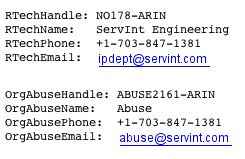
From there you’ll be taken to a page with a great deal of text that will give you more information about the company that owns that particular IP address and even give email addresses, which generally have domains that can lead you to the home page of the host.
Using these steps, you can find the host with well over 99% reliability and then move on to contacting them.
Video Guide for Domain Hosts
Help With Finding a Host
- WhoIsHostingThis: The easiest way to discover who is hosting a site.
- Domain Tools: The site used to locate the host for top-level domains.
- Network Tools: An alternative to Domain Tools.
Want to Reuse or Republish this Content?
If you want to feature this article in your site, classroom or elsewhere, just let us know! We usually grant permission within 24 hours.